
Changing the Password of a cPanel Email Account
Logging into cPanel
Log in to your cPanel account using your provided credentials (email and password) through your hosting control panel access link.
Email account management
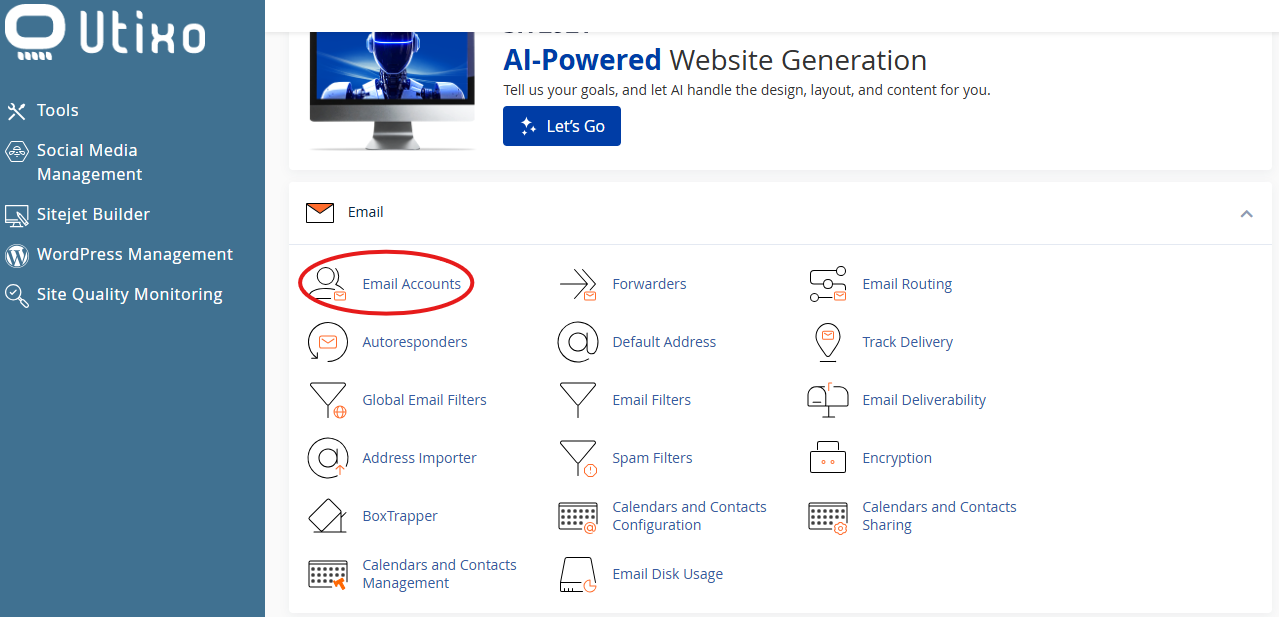
Once inside the dashboard, scroll to the Email section and click on Email Accounts.
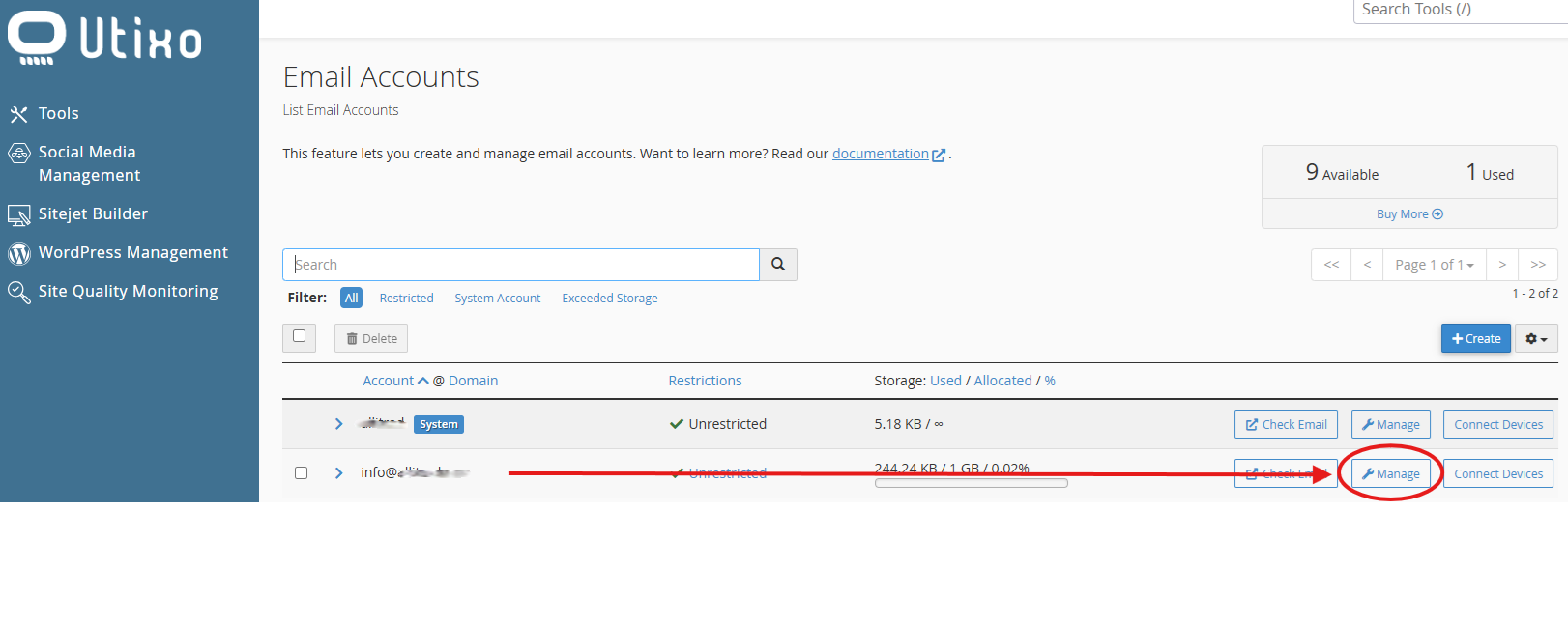
Locate the email address for which you want to change the password, then click on Manage.
Setting a new password
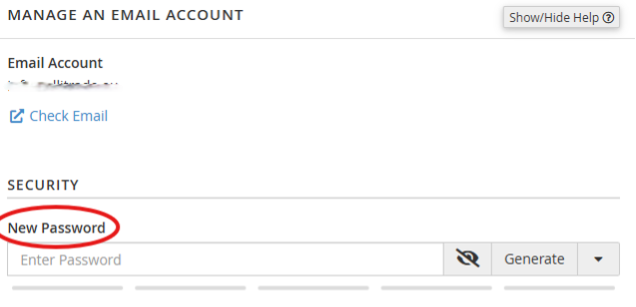
In the Password field, type your new desired password.
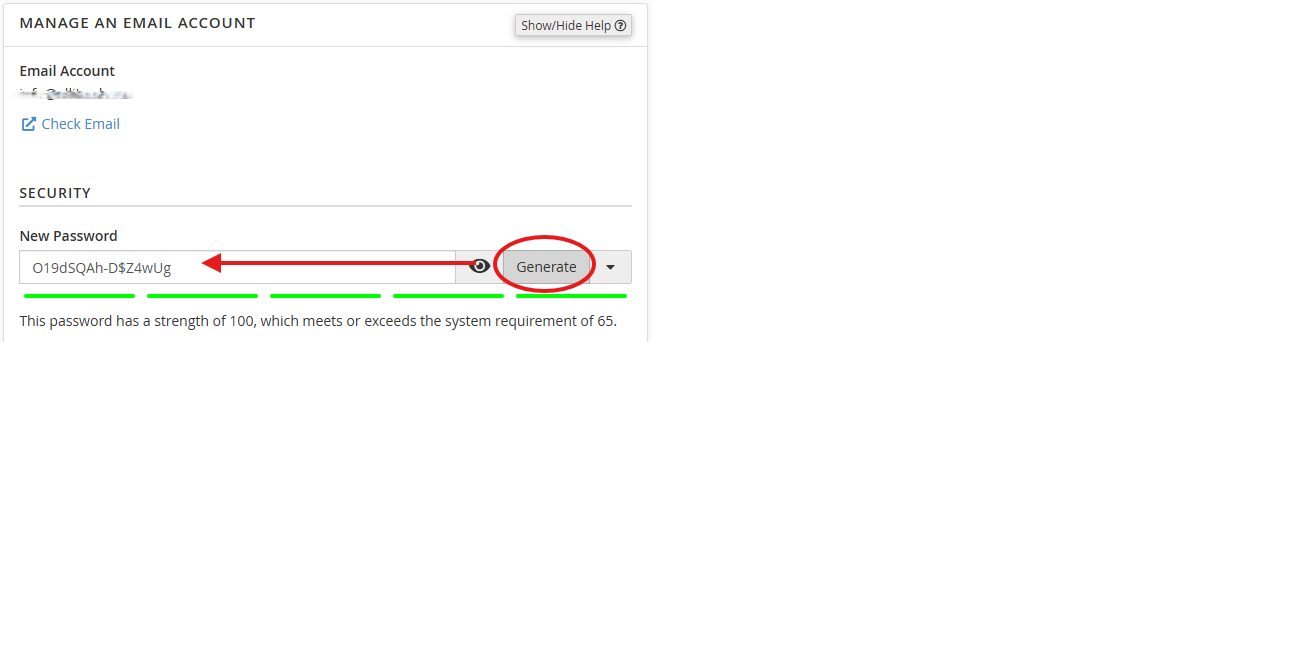
Alternatively, you can use the built-in password generator to create a strong and secure password automatically.
Saving changes
To complete the process, click on Update Email Settings or Aggiorna.
Once updated, your new password will be active immediately.