
How to view the license report in MailShield
Below is a practical guide to viewing the Licensing Domain Based Billing report directly from the Libraesva ESG (MailShield) panel. This feature helps you monitor license usage clearly and review how licenses are distributed across your managed domains.
Accessing the reports section
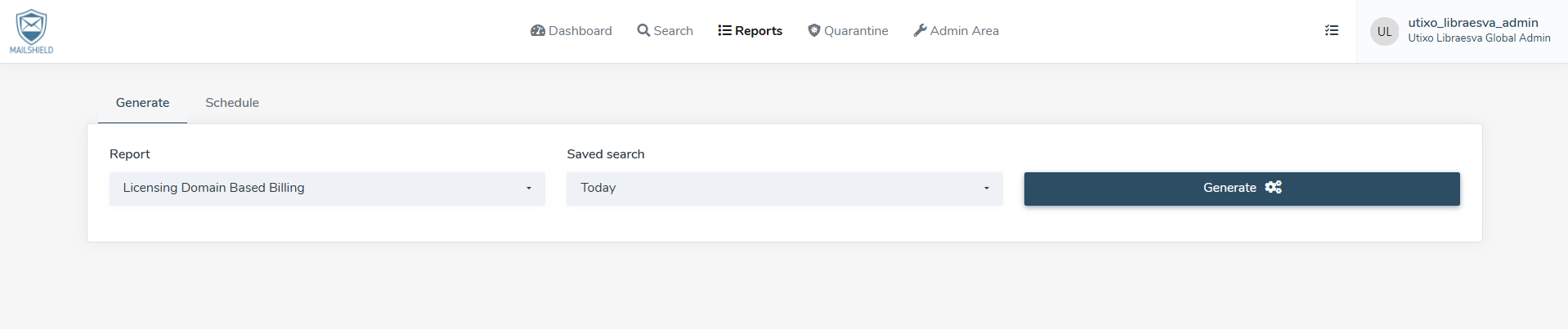
Log in to the MailShield panel and, from the top navigation bar, open the Reports section. Once inside, make sure you are on the Generate tab, which is required to create a new custom report.
Configuring the report
To generate the correct report, use the available dropdown menus to set the required parameters.
Selecting the report type
In the Report field, select Licensing Domain Based Billing. This option allows you to review license consumption based on the domains configured in the system.
Choosing the time range
In the Saved search menu, select the time period you want to analyze. This lets you review license usage trends over a specific date range, which is useful for administrative checks and periodic reporting.
Generating and analyzing the chart
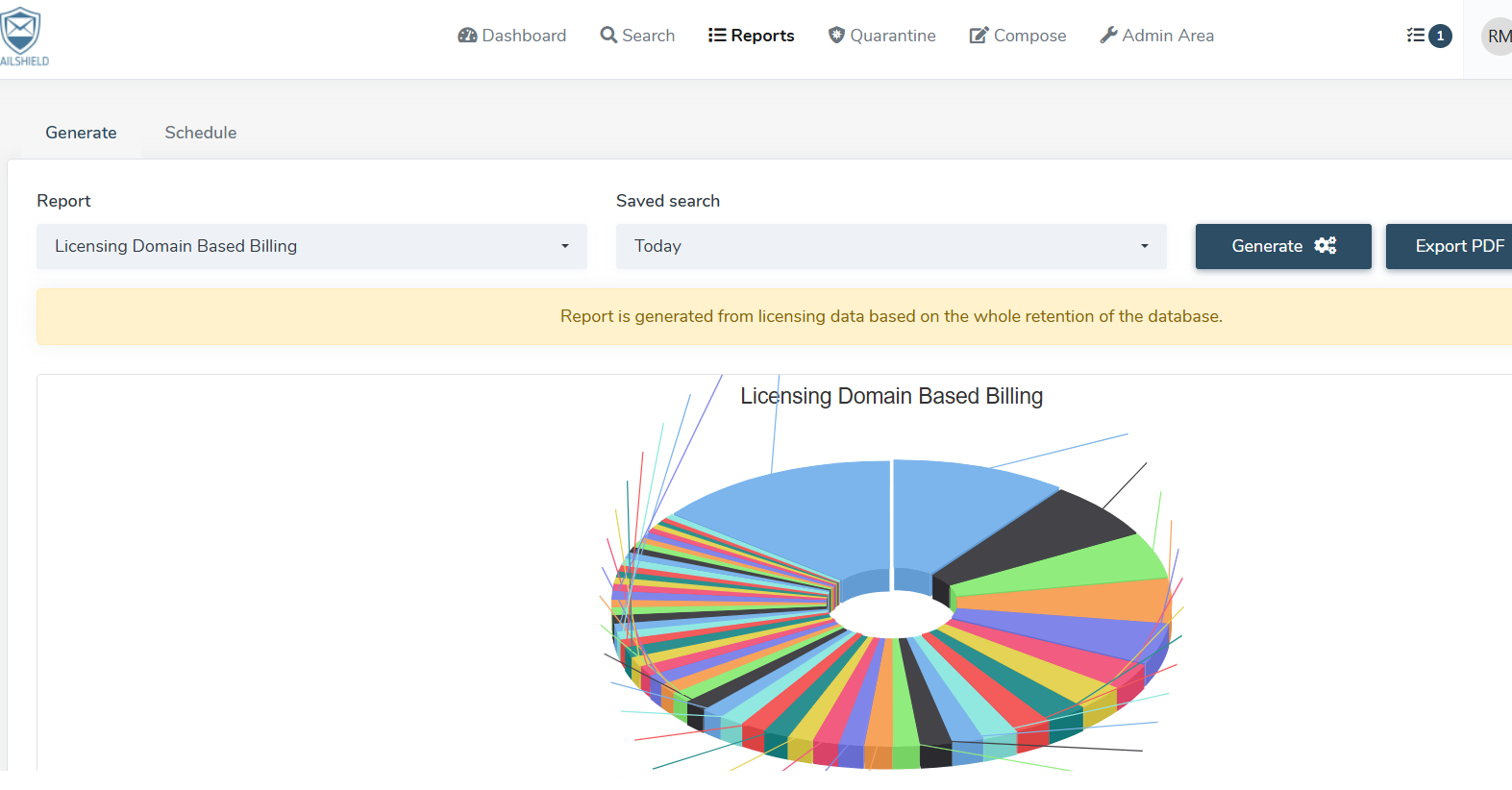
After configuring the report, click the blue Generate button. The system will process the data and display a doughnut chart, allowing you to quickly identify how licenses are distributed across different domains.
Exporting the report
If you need to save or share the report, you can export it as a PDF file. To do this, click Export PDF in the top-right corner of the screen. Exporting is useful for both digital archiving and sharing the report with colleagues or administrative contacts.
Helpful note
Before generating the report, make sure both the report type and the selected time range are correct. Incorrect settings may result in incomplete data or information that does not match the analysis you need.