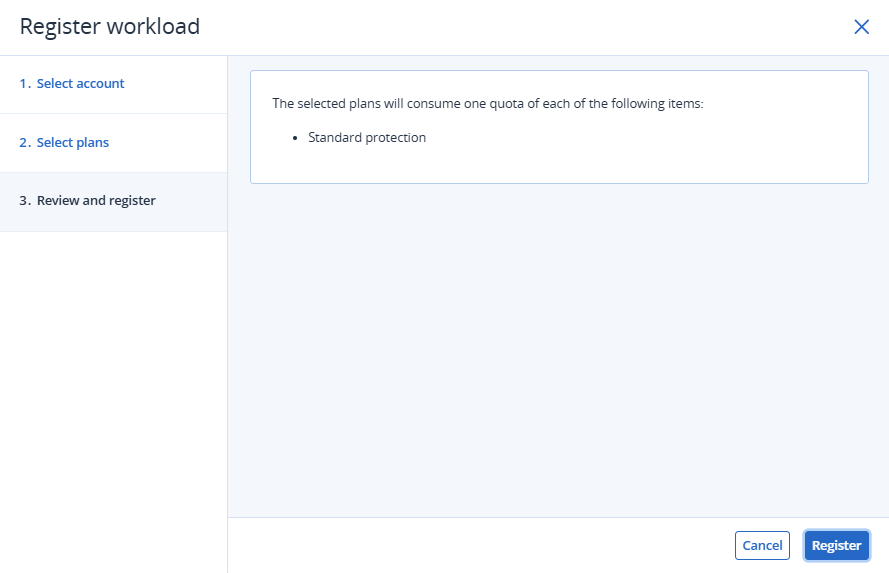
Downloading and running the agent
Run the downloaded file to start installing the protection agent on the local system. This step prepares the device for registration in the cloud console and for the application of the required security policies.
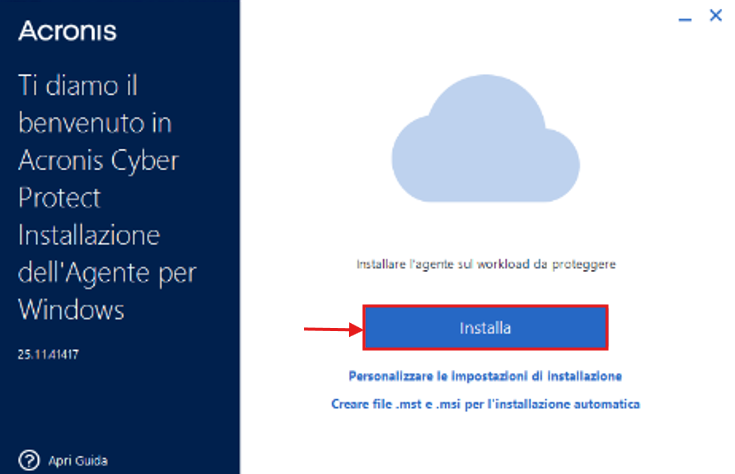
Workload registration
Once the installation is complete, click Register Workload to link the machine to the cloud console and begin the workload registration process.
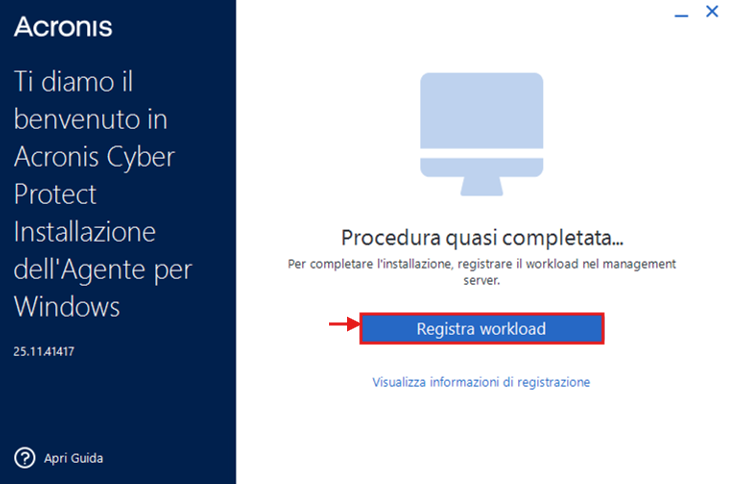
Account validation
In the registration form, select the relevant account, then click Validate code and Next to confirm the device identity and continue with the configuration.
If the registration code is not displayed automatically
In some cases, the validation screen may not appear or the registration code may not be generated automatically. If this happens, you can still complete the registration manually by following the steps below.
Retrieve the registration code
Open the agent screen, click View registration information, and copy the registration code shown.
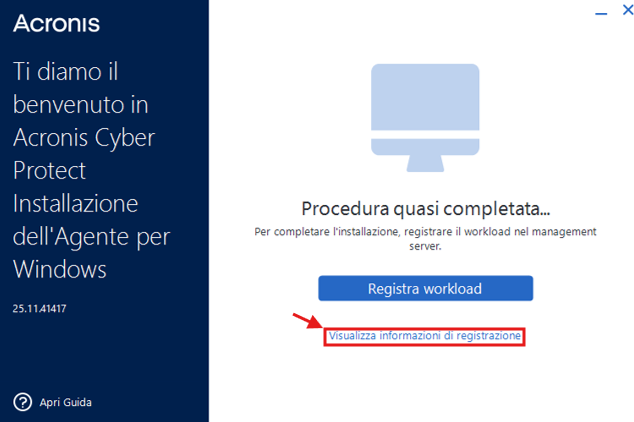
Go to the Devices section
From the cloud console, go to Devices and click ADD to start adding the device manually.
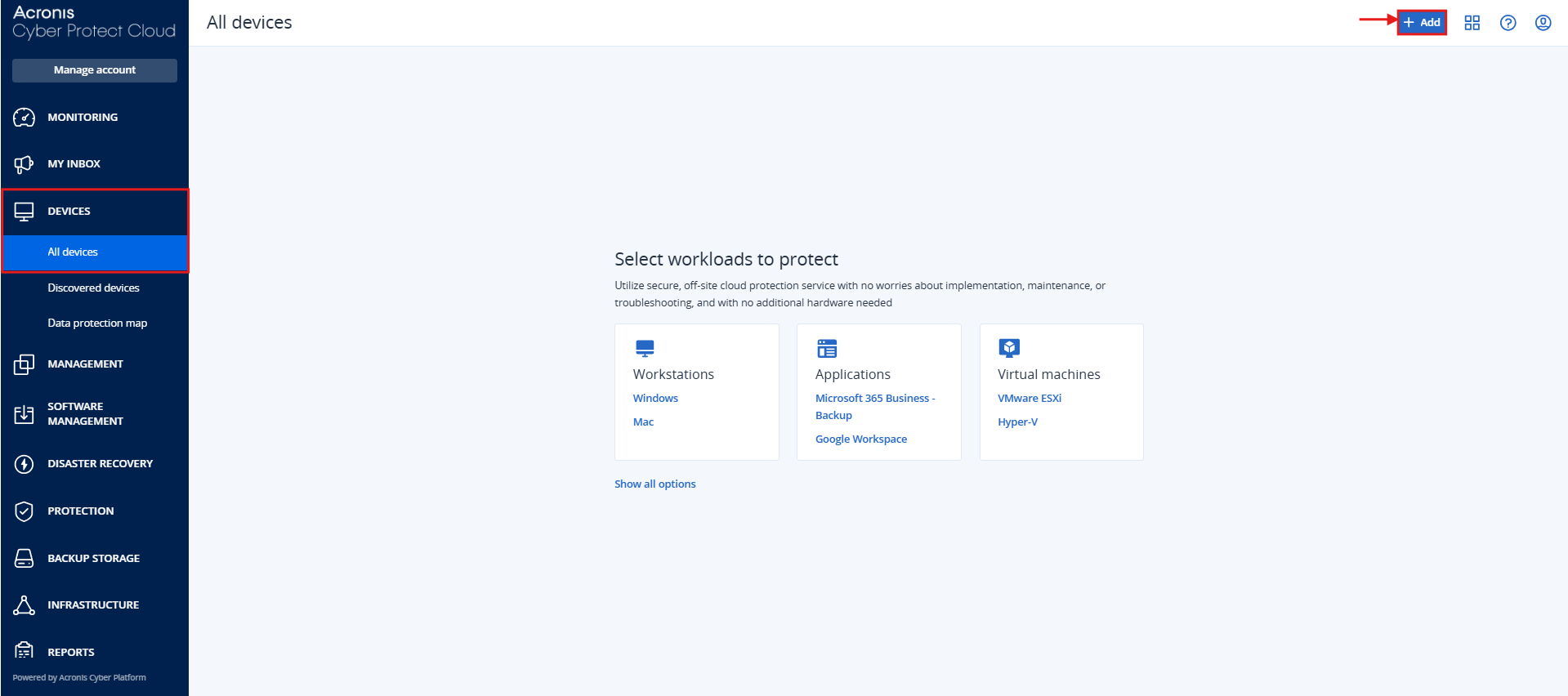
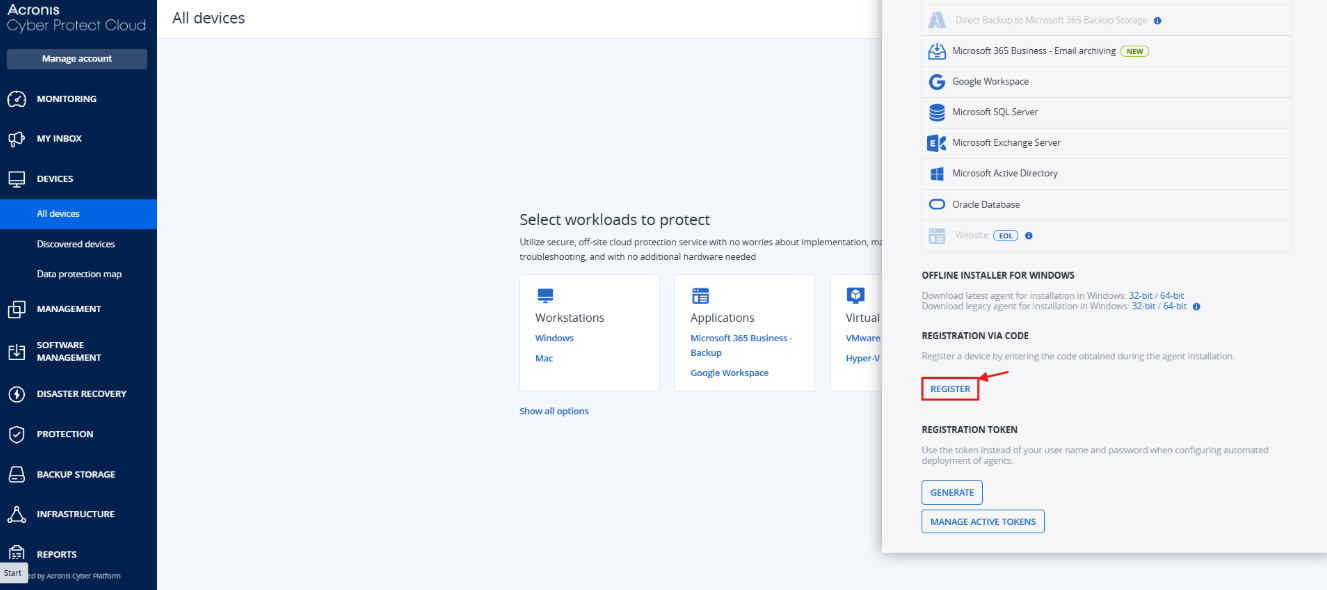
Start manual registration
Scroll to the bottom of the page and click Register.
Paste and validate the code
Paste the code into the registration code field, make sure the correct account is selected, then click Validate code and Next.
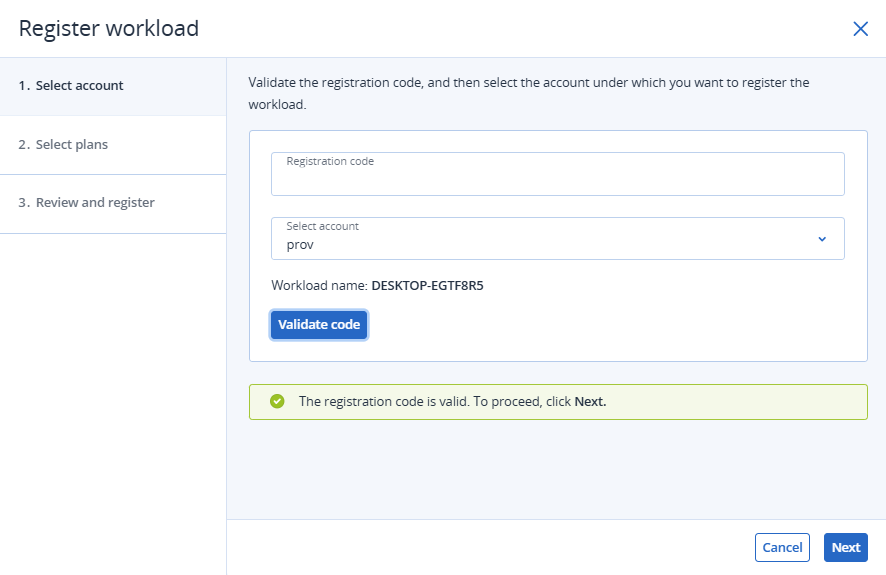
Applying the protection plan
On the next screen, click Next to confirm the protection plan assigned to the device.
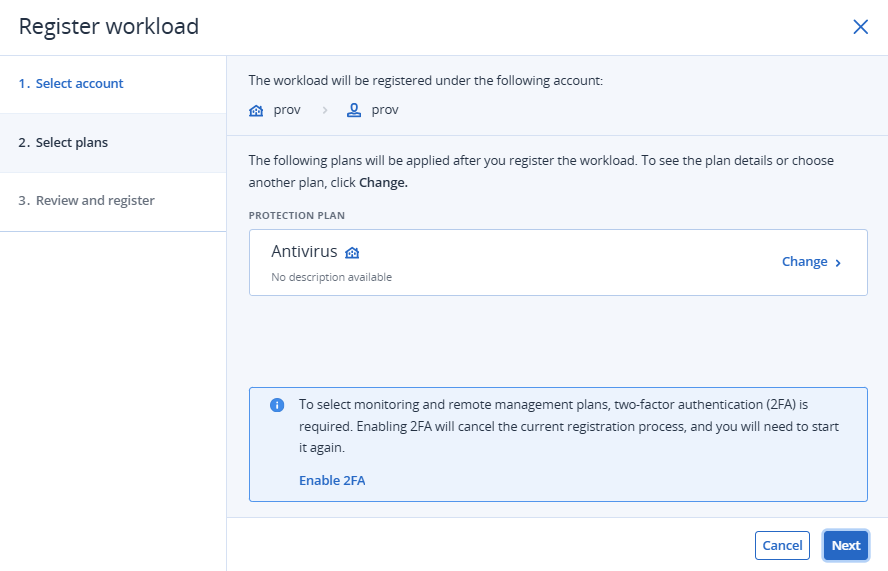
Completing the procedure
To finish the registration, click Register. Once the process is complete, the device will be visible in the console and protected according to the configured settings.