OpenVPN Connect setup and usage for Utixo Cloud Gateway
To connect to the Utixo Cloud Gateway server, you need to install and configure the OpenVPN Connect client using the link provided by Utixo. Below you will find the guided steps to complete the installation and access the service correctly.
Installing OpenVPN Connect
Start the OpenVPN Connect installer using the link received from Utixo. When launching the file, Windows may display a security warning.
- Click More info.
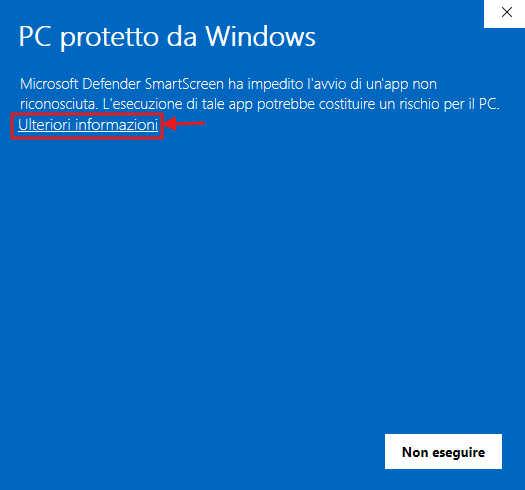
Allowing the application to run
After viewing the file details, continue with the execution of the installer.
- Select Run anyway.
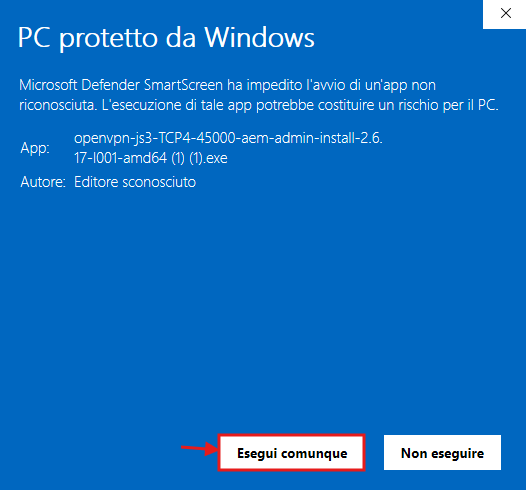
Completing the installation
Once the installation window opens, start the VPN client setup.
- Click Install Now.
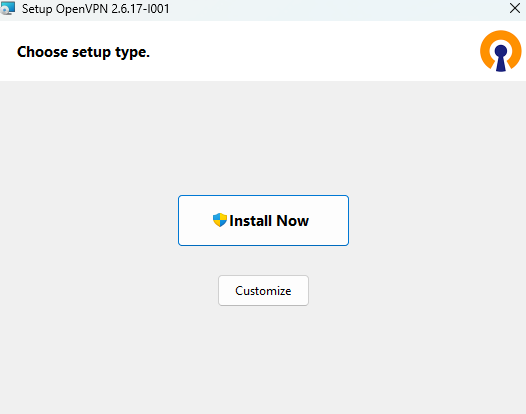
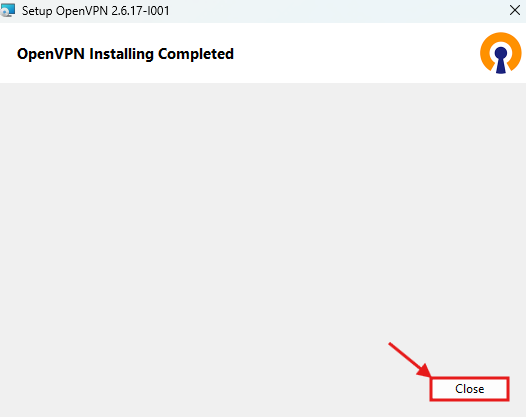
When the installation is complete, close the setup window.
- Click Close.
Signing in to OpenVPN Connect
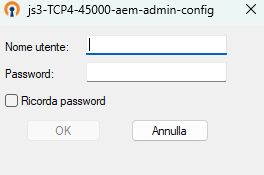
After the installation is complete, open OpenVPN Connect and sign in to start using the VPN connection linked to your Utixo Cloud Gateway environment.
- Finally, sign in.