
Remote Support and Device Access – Utixo
Utixo is committed to delivering high-quality professional services. In certain situations, this may require access to users' devices.
This access is essential to provide tailored and optimized support that meets the specific technical needs of each client. Throughout this process, Utixo ensures maximum confidentiality and security, operating with the highest professional standards and full respect for user privacy.
The company consistently adopts best practices in IT security and follows strict protocols to ensure every interaction remains secure and confidential.
How to request remote support
To receive remote assistance, follow these simple steps:
- Visit the official website: https://utixo.net
- Click the green button at the top right: a small support tool called ANYDESK will be downloaded.
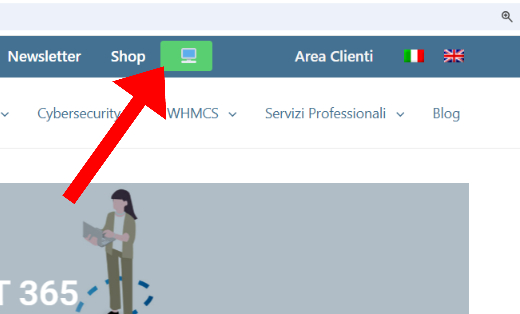
- Once the download is complete, click "Run" and wait a few seconds.
- The following window will appear:
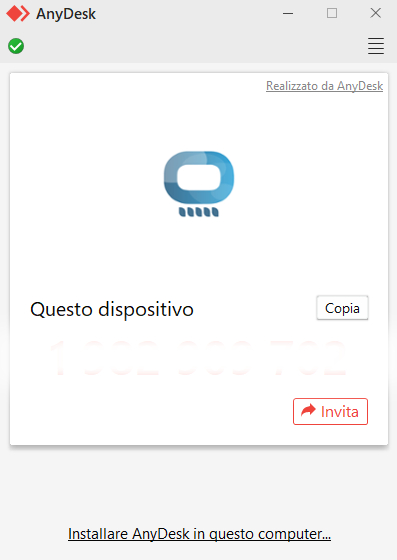
- A Utixo technician will connect as soon as available. Keep the window open until the intervention is completed.